ok, at long last ive got round to writing about this piece of work, here it is firstly:
This was our first project. We were given a brief to make a 30 second stop motion film. At 12 frames a seconds that works out at about 360 shots.
Our group managed to flick through 600 photos or so. So it happened to be slightly longer then 30 seconds. Firstly i thought this would be too many photos to use because it would go over the time limit. However once i was editing, i found that 30 seconds really wasn't a long enough duration. Music editing was hard. Trying to get it in time with the pictures flow was the challenge. After a few trys and the handy razor tool i was able to get it to work. But still, when working with music to fit into a 30 second gap, which in my case, was always changing
My inspirations for making this stop motion as it is, is down to a few things but, if i had to choose just a few then it would be these.
This is a song by yellowcard: way away. I like this kind of music generally, i haven't herd them for a while but this is a classic example of what I'm trying to get at. If you have watched the clip, the introduction and the build up to the actual song is very good. It bursts into song abruptly, which gives an instant boost of energy, I like this, it gives the ability to change the mood and pace instantly. I kind of wanted this in my stop motion. My stop motion does this, by building up to the moment when the person plugs in the headphone, and then the song which i use in my piece (coburn: we interrupt this program) bursts into full swing. This gives much more focus to what the person is doing, and also makes the association between him plugging in the headphones and a good feeling (such as the music).
So we started this process by batching all the photos. This meant, setting up a kind of macro in photoshop. You first have to record what actions you want photoshop to do to your photos. Such as resizing the image, changing the contrast or the colour etc. Once you've set these procedures for it to run from, you choose which photos you would like to batch. When you set it off, it will just run through all of the photos selected and applies whatever you have set. This tool is great for the amount of photos we had. It would have been extreeeeemly time consuming and boring to do them all by hand.
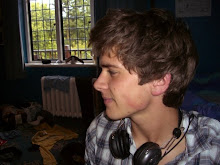
Here are some examples:
the before and after

That was the easy part. After editing all of these photos. I had to import them to premier. I had decided to have two sets, which had been differently edited so they could coincide with the music. Dancing and normal. The normal pictures are of him walking, which i took some of the colour out via saturation. The dancing ones i had taken all of the colour out and whacked up the contrast, this gave it a very cool look. Overall i liked the look of them. But as i say, i had two different set, cut up into 7 different folders. This made numbering a bit time consuming, but at least batching did it for me. I just had to make sure each picture lead on from the next from the different folders. That aside. Onto premier
In premier, i had to import/fidle/playaroundwith/cut/edit/move/lengthen and so on. I made it so pictures were flicked through at 12 pics a second. This was easy enough. The music choice and editing took longest. I chose to use a track by coburn - we int erupt this program. This piece of music has a funky dancy feel, along with mellow background. So with precision and time i made it work.
uploading to youtube, was the final part. Having rendered the master version at dvavi quality it was around the 200MB mark. Youtube allows you to upload 10 minutes worth of vid and of a size of 100MB. To manage this task, i made another copy from premier which had a smaller frame size and was compressed. This in turn pushed it down to under 90MB. gdgd.
Overall i like the feel of the whole thing. I know ofc that if i spent more time on it, it would have looked much better, what with better key framing and more experimentation with the tools i had. I think next time i will defo be spending more time, making some different version to see whats better. Often its that case that even though the work you are happy with, and you are quite pleased to call finished, is not the best it could be. It could be better with a bit more this, or dont like this and that etc. So i think next time, i shall be spending more time on it. ^_^
Monday, 3 December 2007
Stop Motion

Subscribe to:
Post Comments (Atom)
0 comments:
Post a Comment